Skip to content

Leave management without email chains

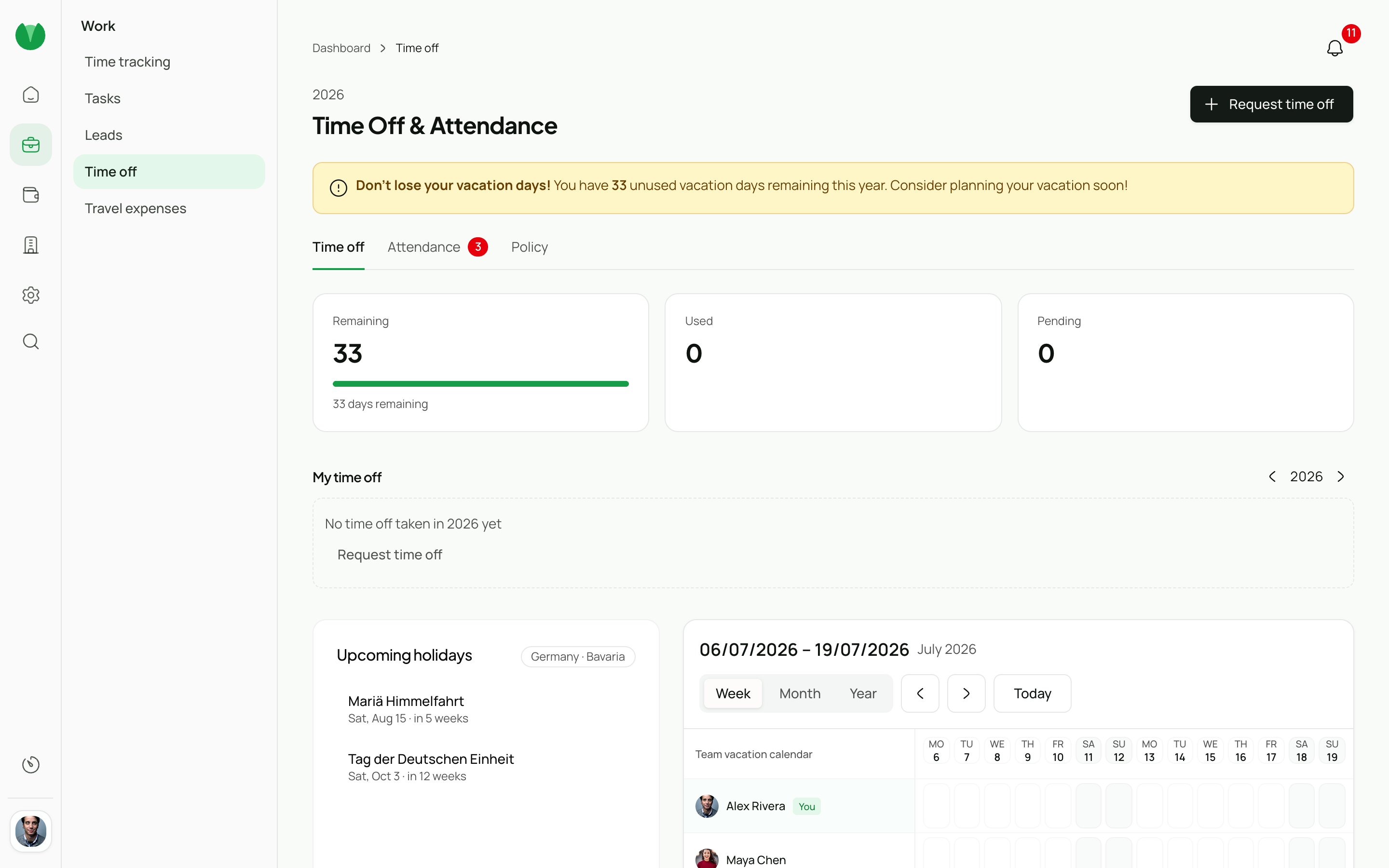
Requests, approvals, and the team calendar in one place. Balances stay accurate, coverage is visible at a glance.

Free
Your time off 2026
18
Vacation left
4
Sick left
6
Remote left
Balances · 2026
Vacation 18 / 30 left
Sick 4 / 10 left
Remote days 6 / 24 left
5 days carried over from 2025 · expire Mar 31

Request in under 30 seconds

Team members pick a date range, a leave type, and an optional note — done. The request lands straight in their manager's approval inbox. Parallel requests show who else is already absent before they are submitted.

Next deadline
14
days until renewal
Adobe Creative Cloud
Renews Jul 13 · €60/mo
Remind me 30 days before
Email · in-app

One-click approval

Managers see open requests in their approval inbox and approve or reject with a short note. Cancellations follow the same path — request → approval → automatic balance correction.

Leave requests
2 pending · 1 approved
AK
Anna K.
Annual leave 14–18 Jul
5 days Pending
TS
Tim S.
Sick leave 2–3 Jul
2 days Pending
MR
Mia R.
Annual leave 7–11 Jul
5 days ✓ Approved

Team calendar: who is in?

The team calendar shows all absences in week, month, or year view. Public holidays for all 16 German Bundesländer are built in — so everyone can see at a glance when cover is needed.

Week of Jun 23–27
MonTueWedThuFri
JM Jordan
Vacation
SP Sam
Sick
RK Riley
Remote
Vacation Sick Remote

Automatic balances

Pistacio tracks annual-day and hours-accrual balances automatically. Approved leave, carry-over from prior years, and special leave types are shown separately — no manual counting required.

Your time off 2026
18
Vacation left
4
Sick left
6
Remote left
Balances · 2026
Vacation 18 / 30 left
Sick 4 / 10 left
Remote days 6 / 24 left
5 days carried over from 2025 · expire Mar 31
Process

How it works

  1. Submit a leave request

    Pick the dates and leave type, add an optional note — the request is submitted in under 30 seconds.

  2. Manager approves or rejects

    The request appears in the approval inbox. Approve or reject with a short note — the balance updates immediately.

  3. Team calendar stays current

    Approved absences appear automatically in the team calendar so everyone knows who is available when.

Roles

Built for every role

Admin

Full control over billing, organization settings, and user management.

  • Organization-wide settings and billing
  • User provisioning and role assignment
  • Custom fields and workflow configuration
  • Audit logs and governance exports
  • API access and integrations

Manager

Oversee projects, approve timesheets and leave, and monitor team performance.

  • Project dashboards with budget tracking
  • Timesheet approval workflows
  • Leave request management
  • Team utilization and capacity reports
  • Client-facing project summaries

Team Member

Log time, submit expenses, manage tasks, and request time off — fast.

  • One-click time tracking with project picker
  • Expense submission with receipt upload
  • Personal task board and deadlines
  • Leave balance and request history
  • Weekly timesheet overview

Ready? Start free today.

Start free

Join the open beta—free while we learn with you

Sign up