Skip to content

Time tracking your team will actually use

One-click timers and two-second manual entries. Hours land cleanly against projects and clients, ready for billing and reporting.

Growth
Acme Redesign
Design QA
REC
01:23:14
Running · Today
Acme Redesign 3h 22m
Northwind App 2h 05m
Internal 0h 45m
Today 7h 35m

Frictionless capture

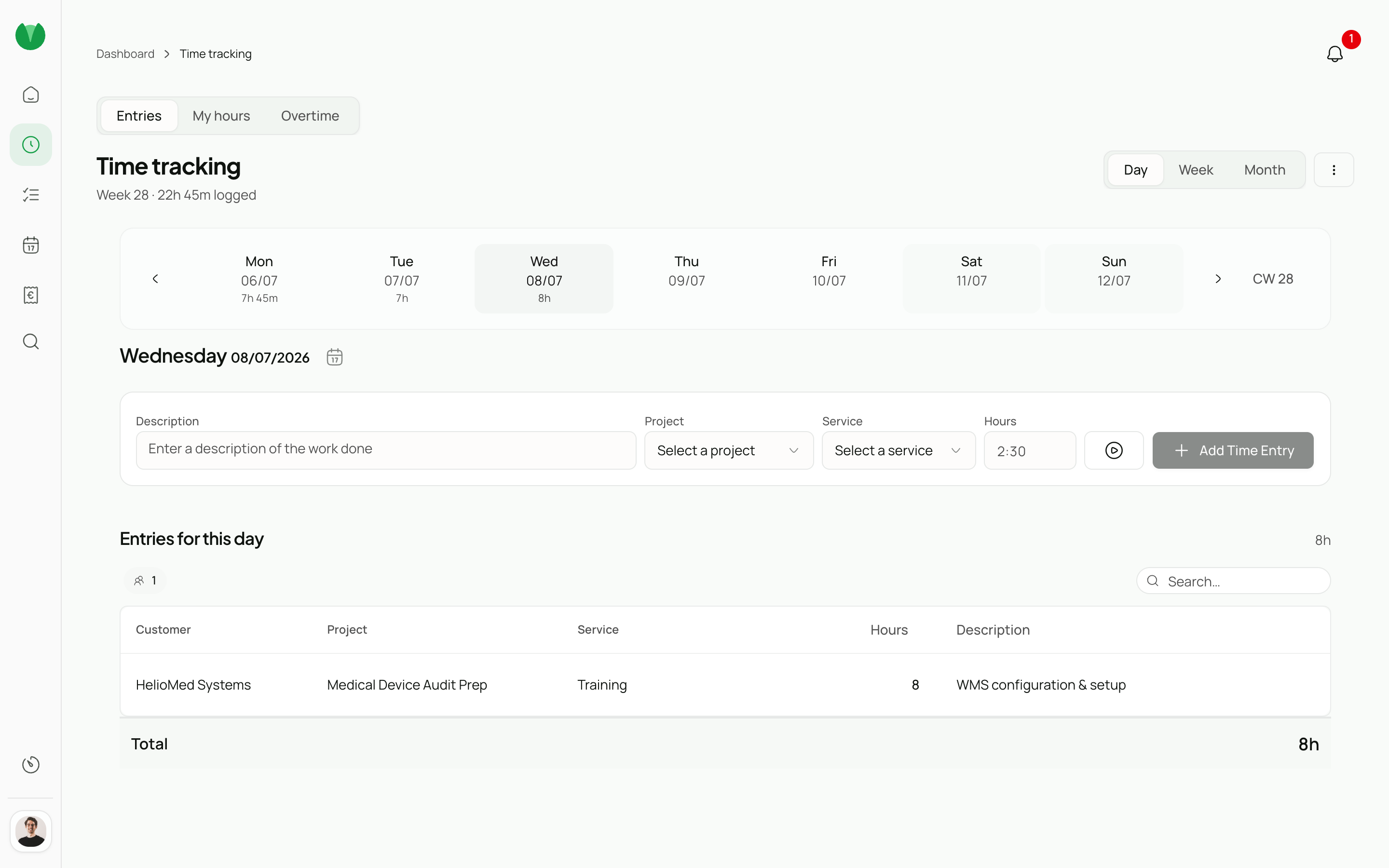
One click starts the timer — it persists across pages and can be stopped with a keyboard shortcut or from the sidebar pin. Manual entries are typed in seconds, and the editable week grid lets you log time like a spreadsheet: project rows, day columns, done.

What are you working on?
Acme Redesign · Design QA
00:00:00
Recent
Northwind App Internal Helix Mobile
Shortcut ⌘ T · from anywhere

Accurate attribution

Every hour is tagged to a project, task, and client — with a billable override and a rounding rule per project. Recurring entries handle repeating work. The project budget updates live so you always know where you stand.

Search projects…
Acme Redesign
Acme Inc.
Northwind App
Northwind Ltd.
Helix Mobile
Helix GmbH
Task
Design QA Development Review

Weekly approvals

Managers see every team member's entries for the week and approve or reject in one step. The approval inbox on the dashboard shows exactly what is still pending, so nothing waits until payday.

Week of Jun 15–21
2 pending · 1 approved
JM
Jordan M.
Acme Redesign
38h Pending
SP
Sam P.
Northwind App
41h Pending
RK
Riley K.
Helix Mobile
36h ✓ Approved

Billing-ready exports

Approved hours flow straight into invoicing. DATEV, CSV, and Excel exports are built in — no manual re-entry, no reconciliation step before you can bill.

Invoice #INV-0042
Acme Inc. · Jun 2026
Draft
DescriptionAmount
Design QA · 38h × €95 €3,610
Development · 41h × €110 €4,510
VAT (19%) €1,542.80
Total €9,662.80
Process

How it works

  1. Start a timer or add an entry

    From a keyboard shortcut, the mobile app, or the browser. Pistacio remembers your most-used projects and suggests them immediately.

  2. Review and fill gaps

    The week view surfaces missing entries, unbillable time, and anything still in draft — all editable in place without leaving the page.

  3. Approve and export

    Entries are submitted for manager approval and land in accounting as a DATEV, CSV, or Excel file — ready to bill.

Roles

Built for every role

Admin

Full control over billing, organization settings, and user management.

  • Organization-wide settings and billing
  • User provisioning and role assignment
  • Custom fields and workflow configuration
  • Audit logs and governance exports
  • API access and integrations

Manager

Oversee projects, approve timesheets and leave, and monitor team performance.

  • Project dashboards with budget tracking
  • Timesheet approval workflows
  • Leave request management
  • Team utilization and capacity reports
  • Client-facing project summaries

Team Member

Log time, submit expenses, manage tasks, and request time off — fast.

  • One-click time tracking with project picker
  • Expense submission with receipt upload
  • Personal task board and deadlines
  • Leave balance and request history
  • Weekly timesheet overview

Join the open beta—free while we learn with you

Sign up